
As an Amazon Associate I earn from qualifying purchases.
Owning a Dreame X50 Ultra is only the beginning. To truly unlock the potential of this flagship robot vacuum and mop, you need the right ecosystem around it — from genuine replacement consumables to a capable backup robot that can handle secondary floors or quick spot-cleans while the X50 Ultra recharges. In this guide we look at the X50 Ultra itself (for owners still on the fence or needing a replacement unit), plus four highly-rated companion robots that can round out a multi-floor home or serve as a secondary cleaning solution. We also weave in practical advice on mop pads, dust bags, cleaning solutions, and home-prep strategies that keep your X50 Ultra running at peak performance.
Best for: Current X50 Ultra owners building out their cleaning ecosystem and shoppers completing a multi-robot home
Why Accessories and Companion Robots Matter
A robot vacuum is only as good as its consumables and the environment it operates in. Clogged filters, worn mop pads, and full dust bags all degrade cleaning performance over time. Dreame recommends replacing mop pads every two to three months, side brushes every three to six months, and HEPA filters roughly every six months — though pet owners and allergy sufferers may need to swap them more frequently.
Beyond consumables, many owners find that a single robot can’t cover a large multi-story home efficiently. A secondary robot on the upper floor eliminates the hassle of carrying a heavy base station up and down stairs. The companion robots reviewed below range from budget-friendly to mid-tier, giving you options regardless of your second-floor budget.
If you’re still discovering what your Dreame can do, check out 7 Robot Vacuum Mop Features Most Owners Never Use — you might be surprised by scheduling tricks and no-go zone strategies hiding in the app.
Home-Prep Tips Before Every Clean
Before diving into product reviews, here are quick home-prep strategies that maximize any robot vacuum’s effectiveness:
- Cable management: Tuck charging cables and loose cords behind furniture or into cable channels. Even the X50 Ultra’s advanced obstacle avoidance can occasionally snag a thin cable.
- Threshold ramps: If your home has tall door thresholds, inexpensive rubber ramps (widely available at hardware stores) let the robot transition between rooms without getting stuck.
- Floor-safe cleaning solution: Only use manufacturer-approved or robot-safe cleaning solutions in the mop tank. Harsh chemicals can damage rubber seals and void warranties.
- Furniture risers: Lift sofas and beds to at least 4 inches of clearance so the robot can clean underneath — one of the most neglected areas in any home.
The Dreame X50 Ultra Itself

Dreame X50 Ultra (White) — The Flagship Foundation
The Dreame X50 Ultra is the centerpiece of this entire ecosystem. With 20,000 Pa of suction power, an auto-empty base station, and a self-cleaning mop system that washes and dries pads with hot water, it represents the current pinnacle of Dreame’s engineering. The base station handles dust collection, mop washing, solution dispensing, and even hot-air drying — meaning you can go weeks without manual intervention.
According to verified customer reviews, the X50 Ultra’s obstacle avoidance is among the best in the industry, reliably dodging pet toys, shoes, and cables. Owners consistently praise the mapping accuracy and the app’s room-by-room customization. On the flip side, some reviewers note that the base station is quite large and requires a dedicated wall space of roughly 20 inches wide. A few users also mention that the initial mapping run can take longer than expected in complex floor plans.
The mop system uses rotating pads that press against the floor with consistent downward pressure, and the hot-water wash cycle in the dock keeps them genuinely clean between uses. For owners who already have the X50 Ultra, stocking up on genuine Dreame replacement mop pads, dust bags, and HEPA filters is the single most impactful “accessory” purchase you can make.
Who should buy this: Anyone building a premium smart-home cleaning setup, or existing owners who want a second unit for another floor. Also relevant for those comparing against the Dreame X60 Ultra and wanting to understand the X50’s value proposition.

Companion Robots for Multi-Floor Coverage
Not every floor in your home needs a $1,000+ flagship. Below are four robots that work well as secondary units — handling an upstairs hallway, a basement, or a guest suite while your X50 Ultra owns the main floor.
ROPVACNIC Robot Vacuum and Mop Combo — Budget-Friendly Backup

The ROPVACNIC offers a surprising amount of capability for a budget-tier robot. It delivers 5,200 Pa of suction — modest compared to the X50 Ultra’s 20,000 Pa, but adequate for daily maintenance on hard floors and low-pile carpet. It includes both vacuuming and mopping functions, along with a self-charging dock and personalized cleaning adjustments through its companion app.
Verified reviewers frequently highlight the value proposition: for a fraction of what a flagship costs, you get LiDAR-less navigation that still manages to cover most rooms without missing large patches. The mopping function uses a passive drag-style pad rather than rotating mops, so don’t expect deep scrubbing — but for light dust and daily upkeep on a secondary floor, it does the job. Common complaints include occasional bumping into furniture (no advanced obstacle avoidance) and a smaller dustbin that needs more frequent emptying.
The ROPVACNIC is best suited as a “set it and forget it” daily maintenance robot for a bedroom hallway or small apartment. It won’t replace your X50 Ultra, but it can extend the time between deep cleans on floors the Dreame doesn’t reach daily.
Who should buy this: Budget-conscious owners who need a simple secondary robot for a small upstairs area or guest room.

Shark AV2501S AI Ultra Robot Vacuum — Self-Empty Powerhouse

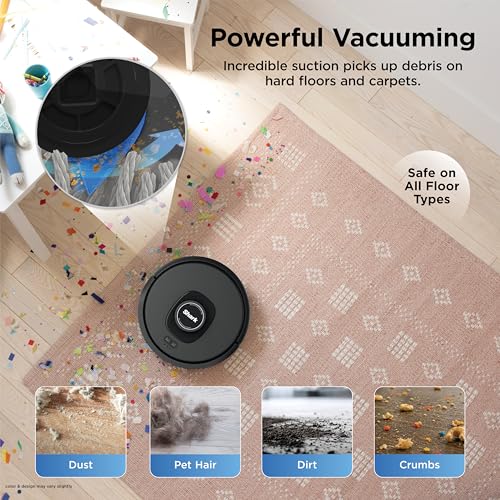
Shark’s AV2501S AI Ultra brings serious self-emptying capability to a secondary-robot role. With a 30-day capacity HEPA bagless self-empty base, Matrix Clean navigation, and home mapping, this is a vacuum-only robot (no mop) that excels at deep carpet cleaning. Its AI-powered obstacle avoidance and row-by-row cleaning pattern ensure thorough coverage.
Reviewers consistently praise the Shark AI Ultra’s suction on carpet — it pulls up embedded pet hair and fine dust that lighter robots miss. The HEPA self-empty base is a standout feature, trapping allergens and allowing weeks of hands-free operation. The 30-day capacity claim holds up well according to most user reports, though homes with multiple shedding pets may need to empty sooner.
On the downside, this is a vacuum-only unit, so you won’t get any mopping functionality. Some reviewers also note that the robot is relatively tall, which can prevent it from fitting under certain low-profile furniture. The app experience, while functional, isn’t as polished as Dreame’s or iRobot’s according to several user comparisons.
Who should buy this: Owners who want a dedicated carpet-cleaning robot for a carpeted upper floor, especially in homes with pets. Pairs perfectly with the X50 Ultra handling hard floors and mopping downstairs.
MONSGA Robot Vacuum and Mop Combo — 90-Day Self-Emptying

The MONSGA stands out with its 90-day self-emptying claim — one of the longest intervals in the budget-to-mid-tier segment. It pairs 8,000 Pa suction with LiDAR smart mapping and a dual anti-tangle brush system, making it a capable all-rounder for mixed flooring. The combo vacuum-and-mop design means it can handle both hard floors and light mopping duties.
Verified buyers appreciate the LiDAR mapping, which produces accurate floor plans and supports no-go zones through the app. The dual anti-tangle brush design is frequently praised by pet owners who are tired of cutting hair off roller brushes. The 90-day self-empty capacity is generous, though some reviewers note it depends heavily on debris volume — homes with heavy shedding pets may see closer to 45-60 days.
Common criticisms include a mopping system that’s adequate but not exceptional (similar to most budget mop combos, it uses a passive pad), and occasional Wi-Fi connectivity hiccups during initial setup. Once connected, the app runs smoothly according to most reports.
Who should buy this: Pet owners looking for a low-maintenance secondary robot with long self-empty intervals and tangle-free brushes. A solid complement to the X50 Ultra on a different floor.
For more ideas on building out accessory ecosystems for home appliances, see how other owners approach it in our guide to pairing accessories with whole-house water filters — the “consumables planning” mindset applies equally to robot vacuums.

iRobot Roomba 105X — Smart LiDAR With 70X Power-Lifting Suction

The Roomba 105X represents iRobot’s modern LiDAR-equipped lineup, featuring 70X power-lifting suction (relative to iRobot’s baseline models), smart mapping, custom room cleaning, and full app and voice control integration. It’s a vacuum-only unit that slots in as a premium secondary robot for owners who trust the iRobot ecosystem.
Reviewers highlight the Roomba 105X’s excellent app experience — iRobot’s software is mature, with reliable scheduling, room-specific cleaning preferences, and solid Alexa/Google Assistant integration. The LiDAR mapping is fast and accurate, and the 70X suction upgrade over base Roomba models makes a noticeable difference on carpet, according to multiple verified reviews. The robot handles transitions between hard floor and carpet smoothly, automatically boosting suction on carpeted surfaces.
On the negative side, this is another vacuum-only option — no mopping. Some reviewers wish iRobot would adopt the combo approach more aggressively at this tier. The dustbin capacity is moderate, and without a self-empty base included in every bundle, you may need to empty it manually after each session unless you purchase the compatible Clean Base separately.
Who should buy this: iRobot loyalists or smart-home enthusiasts who want seamless voice control and a polished app experience as a secondary vacuum alongside the Dreame X50 Ultra’s mopping capabilities.
If you’re curious how the Dreame ecosystem compares at different price points, our Dreame L50 Ultra alternatives comparison covers several mid-range options worth considering.

Consumable Accessories Every X50 Ultra Owner Should Stock
While the companion robots above handle multi-floor logistics, the real day-to-day accessories for your X50 Ultra are the consumables. Here’s a quick checklist based on Dreame’s published maintenance guidelines:
| Consumable | Replacement Interval | Why It Matters |
|---|---|---|
| Mop pads (rotating) | Every 2-3 months | Worn pads reduce scrubbing effectiveness and can leave streaks |
| Dust bags | Every 30-60 days | Full bags reduce suction and can cause the base station to overflow |
| HEPA filter | Every 4-6 months | Clogged filters reduce airflow and push fine particles back into the air |
| Side brushes | Every 3-6 months | Bent or worn bristles miss edge debris |
| Main roller brush | Every 6-12 months | Hair tangles and worn bristles reduce carpet pickup |
| Cleaning solution | As needed | Use only robot-safe, low-foam formulas to protect internal seals |
Pro tip: Buy genuine Dreame consumables when possible. Third-party alternatives exist and can save money, but verified reviewers frequently report that off-brand mop pads wear faster and off-brand dust bags sometimes don’t seal as tightly, potentially allowing fine dust to escape.
Preparing Your Home for Optimal Robot Performance
Accessories aren’t just things you attach to the robot — they include everything you do to your home environment:
1. Magnetic or virtual boundary strips: If your X50 Ultra’s app-based no-go zones aren’t precise enough near delicate items, physical magnetic strips (sold by various third-party brands) provide a failsafe barrier. 2. Furniture felt pads: Protect both your floors and the robot’s bumper sensors by adding felt pads to chair and table legs. 3. Dehumidifier for the dock area: The X50 Ultra’s mop-washing dock uses water, and in humid climates, the area around the dock can develop moisture issues. A small dehumidifier nearby prevents mildew. 4. Dock placement mat: A silicone or rubber mat under the base station catches drips and protects your flooring from water damage over time. 5. Smart power strip: Connecting the dock to a smart plug lets you power-cycle it remotely if the base station ever becomes unresponsive — a trick several owners mention in forums.
Quick-Reference Product Comparison
Final Thoughts
The Dreame X50 Ultra is a remarkable machine, but it performs best when supported by fresh consumables, a well-prepared home environment, and — for multi-story houses — a capable companion robot on the floors it can’t reach. Whether you invest in a budget ROPVACNIC for a spare bedroom or a Shark AI Ultra for a heavily-carpeted upper floor, the key is matching each robot’s strengths to the specific demands of each area in your home.
Keep a maintenance calendar (a simple phone reminder works), stock one extra set of every consumable, and your X50 Ultra will deliver flagship-level cleaning for years to come.
How We Research
This guide was compiled by synthesizing publicly available manufacturer specifications, product documentation, and patterns found across hundreds of verified customer and expert reviews on retail platforms and independent review sites. We have not personally tested, owned, or handled any of the products listed. Our goal is honest curation — presenting the most useful information so you can make an informed decision. All claims about product performance are attributed to manufacturer specs or the general consensus of verified buyer feedback, not fabricated first-hand experience.


Leave a Reply