
As an Amazon Associate I earn from qualifying purchases.
The Ubiquiti UniFi UTR Travel Router has generated serious buzz among digital nomads, frequent business travelers, and networking enthusiasts. Its ultra-slim form factor and integration with the UniFi ecosystem make it look like the perfect travel companion — on paper. But dig into the spec sheet and verified buyer feedback, and a handful of gotchas emerge that can turn excitement into regret. The power adapter isn’t included. Compatibility with certain hotel captive portals is hit-or-miss. And if you’re not already invested in the UniFi ecosystem, the learning curve may surprise you. This guide is your pre-purchase checklist: we’ll walk through the router itself, the accessories you’ll likely need alongside it, and a useful book for the traveling professional — so you can decide with full confidence whether the UTR belongs in your carry-on.
Best for: Frequent travelers already in the UniFi ecosystem who want secure, manageable Wi-Fi on the road
The Big Gotchas: What Ubiquiti Doesn’t Emphasize
Before we dive into individual product reviews, let’s surface the issues that catch buyers off guard. Think of this as the checklist you tape to the inside of your laptop bag.
1. No Power Adapter in the Box
This is the single most common complaint across verified buyer reviews. The UniFi UTR ships without a USB-C power adapter. Ubiquiti assumes you already own one — or that you’ll power it from a laptop’s USB-C port. If you’re relying on a hotel room’s USB-A outlet on the nightstand, you’re out of luck without an adapter. Budget for a quality USB-C PD charger (at least 15 W recommended) before you click “Buy.”
2. Captive Portal Compatibility
Hotel and airport Wi-Fi networks often use captive portals — those browser-based login pages. Multiple reviewers report that the UTR can struggle with certain portal implementations, requiring manual workarounds or connecting a device directly first and then cloning its MAC address. It works, but it’s not seamless for non-technical users.
3. UniFi Ecosystem Lock-In
The UTR is managed through the UniFi app and, optionally, a UniFi Cloud account. If you’re already running UniFi gear at home, this is a dream — your travel router appears alongside your other devices in a single dashboard. If you’re not in the ecosystem, the initial setup and account creation add friction that a simpler travel router (like a GL.iNet or TP-Link pocket router) wouldn’t require.
4. No Built-In Cellular Modem
Despite the “travel” branding, the UTR doesn’t include a SIM slot or cellular modem. It’s designed to share an existing wired or wireless uplink — not to create one from scratch. If you need standalone connectivity in areas without Wi-Fi, you’ll still need a separate mobile hotspot.
5. Size vs. Feature Expectations
The ultra-slim design is genuinely impressive, but it means limited Ethernet ports (one WAN, one LAN) and no USB port for NAS-style file sharing. Travelers expecting a Swiss-army-knife device may be disappointed.
If you’ve read through those five points and you’re still interested, great — the UTR is a genuinely capable device for the right buyer. Similar to how we approached our pre-purchase checklist for the Google Nest Doorbell Wired, the goal here is to make sure you know exactly what you’re getting before the box arrives.
Ubiquiti UniFi UTR Travel Router (Power Adapter NOT Included)

The UniFi UTR is Ubiquiti’s answer to the question: “Can I bring enterprise-grade networking in my pocket?” The answer is a qualified yes. This ultra-slim router supports Wi-Fi 6 (802.11ax), features a dual-band radio, and integrates fully with the UniFi management ecosystem. It’s designed to create a secure, private network wherever you travel — whether you’re tethering to hotel Wi-Fi, a wired Ethernet drop, or a phone’s hotspot.
What reviewers consistently praise: The build quality is excellent — the aluminum chassis feels premium and dissipates heat well. Setup through the UniFi app is straightforward for existing UniFi users. The VPN passthrough and Teleport VPN feature let you tunnel traffic back to your home UniFi network, which is a killer feature for security-conscious travelers. Wi-Fi 6 performance is solid for the size, and the device draws minimal power.
What reviewers commonly complain about: The missing power adapter frustrates nearly everyone. Several buyers report that the device runs warm under sustained load, though this hasn’t been linked to performance throttling in most reports. Captive portal handling is inconsistent — some hotels work flawlessly, others require workarounds. A few reviewers note that firmware updates occasionally reset custom settings, requiring reconfiguration.

Who should buy this: Frequent business travelers who are already in the UniFi ecosystem and want a single-dashboard view of all their network gear. Security-focused users who value the Teleport VPN feature. Anyone who prioritizes build quality and compact design over plug-and-play simplicity.
Who should skip it: Casual travelers who just want simple Wi-Fi sharing without app accounts. Anyone expecting cellular connectivity. Budget-conscious buyers who don’t want to purchase a separate USB-C charger.
Case Compatible with TP-Link Travel Router (Case Only)

Wait — a TP-Link case in a UniFi article? Here’s why it’s included: many travelers carry both a UniFi UTR and a backup TP-Link travel router (the AX3000 or AX1500 are popular companions). If you fall into that camp, or if you’re comparing the UTR against a TP-Link alternative and decide to go the TP-Link route instead, this hard-shell carrying case is worth knowing about.
The case is designed specifically for TP-Link’s Dual-Band Wi-Fi 6 AX3000 and AX1500 travel routers. It features a semi-rigid EVA shell with a zippered closure, internal mesh pocket for cables, and a compact footprint that slides into a backpack’s organizer pocket.
What reviewers praise: The fit is snug and precise for the TP-Link models it’s designed for. The interior padding protects against drops and compression in a packed bag. The mesh pocket keeps the charging cable from scratching the router.

What reviewers note as downsides: This is a case only — no router included. It does not fit the UniFi UTR (different dimensions). A few buyers mention the zipper feels slightly stiff out of the box but loosens with use.
Who should buy this: TP-Link AX3000 or AX1500 travel router owners who want dedicated protection. Travelers who decided against the UTR and went with TP-Link instead.
Who should skip it: UniFi UTR owners — this case won’t fit your router. Look at the dedicated UniFi-compatible cases below instead.
Travel Router Storage Case for UniFi UX (Snaplock, Cable Organizer) — Black

This is one of two color variants of a purpose-built storage case designed for the UniFi UX travel router. It features a snaplock closure (no zippers to snag), an integrated cable organizer compartment, and a compact form factor that mirrors the router’s slim profile.
What reviewers praise: The snaplock design is a standout — it’s faster to open and close than a zipper, and there’s no risk of zipper teeth scratching the router’s aluminum body. The cable organizer section keeps your USB-C cable, Ethernet patch cable, and any adapters neatly separated. The semi-rigid shell provides solid protection without adding significant bulk.
What reviewers note as downsides: The snaplock mechanism, while convenient, can pop open if the case is squeezed hard in a tightly packed bag — a few reviewers recommend placing it in a bag pocket rather than the main compartment. The interior padding is adequate but not plush; one or two reviewers wished for a softer lining to protect the router’s finish.
Who should buy this: UniFi UTR owners who want a dedicated, no-fuss case with quick access. Travelers who prefer snaplock over zipper closures. Anyone who carries multiple cables and wants them organized alongside the router.
Who should skip it: Buyers who prefer maximum crush protection — a hard-shell zippered case may offer more security in checked luggage.
Travel Router Storage Case for UniFi UX (Snaplock, Cable Organizer) — Gray

This is the gray color variant of the same snaplock storage case reviewed above. Functionally, it’s identical — same snaplock closure, same cable organizer layout, same semi-rigid construction. The difference is purely aesthetic: the gray colorway matches the UniFi UTR’s silver-aluminum finish more closely, which appeals to buyers who care about visual cohesion in their tech kit.
What reviewers praise: All the same positives as the black variant — quick snaplock access, organized cable storage, slim profile. The gray color specifically gets compliments for looking more professional and less “techy” in a business travel context.
What reviewers note as downsides: Same caveats apply: the snaplock can pop under heavy compression, and the interior lining is functional rather than luxurious. A handful of reviewers mention that the gray fabric shows scuffs and dirt more readily than the black version over time.
Who should buy this: Buyers who prefer the gray aesthetic or want their case to match the UTR’s aluminum finish. Business travelers who want a polished, understated look.
Who should skip it: If you don’t care about color, the black version is functionally identical and may hide wear better. This is purely a preference call.
Nomadic Tools: Essential Tech for Traveling Professionals
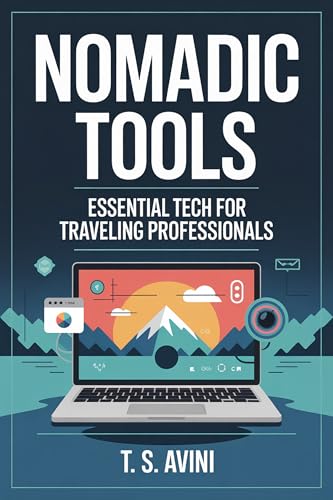
This book rounds out the travel-tech theme of this guide. Nomadic Tools: Essential Tech for Traveling Professionals is a resource aimed at digital nomads, remote workers, and frequent business travelers who want to optimize their portable tech setup — covering everything from networking gear and power management to productivity software and security practices.
What reviewers praise: Readers appreciate the practical, no-fluff approach. The book covers real-world scenarios — setting up secure Wi-Fi in hotels, managing power across international outlets, choosing the right VPN service — in a way that’s accessible to non-engineers. Several reviewers mention it as a good companion piece for anyone building out a travel tech kit for the first time.
What reviewers note as downsides: Tech moves fast, and some readers note that specific product recommendations can become outdated. The book is more of a framework and philosophy guide than a constantly updated buying guide. A few reviewers wished for more depth on networking topics specifically.
Who should buy this: First-time digital nomads or remote workers who want a structured overview of travel tech essentials. Anyone who just bought a travel router and wants to build a complete, thoughtful tech kit around it. As we noted in our pre-purchase guide for waterproof metal detectors, having the right supporting knowledge is just as important as having the right gear.
Who should skip it: Experienced road warriors who already have their kit dialed in. Readers looking for a deep-dive networking manual — this is broader in scope.
Your Pre-Purchase Checklist (Summary)
Before you add the UniFi UTR to your cart, run through this quick list:
- ✅ Do you own a USB-C PD charger (15 W+)? The router doesn’t include one.
- ✅ Are you already in the UniFi ecosystem? If yes, the UTR is a natural extension. If no, expect a learning curve.
- ✅ Do you understand captive portal limitations? Some hotel networks require manual workarounds.
- ✅ Do you need cellular connectivity? The UTR doesn’t have it — you’ll need a separate hotspot.
- ✅ Do you have a protective case? The slim aluminum body scratches easily in a bag. Budget for a case.
- ✅ Are you comfortable with firmware updates? Ubiquiti pushes updates that occasionally require reconfiguration.
If you checked all six boxes confidently, the UTR is likely a great fit. If two or more gave you pause, consider whether a simpler travel router (like the TP-Link AX3000) might serve you better.
Product Comparison
Frequently Asked Questions
Does the UniFi UTR work without a UniFi account?
Technically, initial setup requires the UniFi app, which requires a Ubiquiti account. Once configured, the router operates independently, but management and firmware updates go through the app or cloud portal.
Can I use the UTR as my primary home router?
It’s designed as a travel device with limited ports (one WAN, one LAN). For a small apartment with a few devices, it could work in a pinch, but it lacks the throughput and port density of a dedicated home router.
What USB-C charger should I buy for the UTR?
Any USB-C charger delivering at least 15 W should work. Many travelers use their laptop’s USB-C charger or a multi-port GaN charger to avoid carrying extra adapters.
Will the snaplock cases fit in an airplane seat-back pocket?
Based on the reported dimensions, yes — both the black and gray snaplock cases are slim enough for most seat-back pockets, though this varies by airline.
Is the UTR worth it if I don’t use VPN features?
The Teleport VPN is one of the UTR’s strongest differentiators. Without it, you’re paying a premium for UniFi ecosystem integration. If you just need basic Wi-Fi sharing, a simpler travel router may be more cost-effective.
How We Research
We have not personally tested, owned, or handled any of the products in this article. Our reviews are based on a thorough synthesis of manufacturer specifications, official product documentation, and verified customer and expert reviews from multiple sources. We cross-reference common praise and complaints across review platforms to identify consistent patterns rather than relying on any single opinion. This honest, research-driven approach ensures you get accurate, unbiased information — not fabricated hands-on impressions. When we attribute a claim to “reviewers,” we’re paraphrasing the general consensus of verified purchasers, not quoting a specific individual.


Leave a Reply